Discover how to professionally install indoor 3D signage with our step-by-step guide tailored
Expert Guide to Installing Indoor 3D Signage
Understanding Indoor 3D Signage Installation
What is Indoor 3D Signage?
Indoor 3D signage adds dimensionand personality to your interior, making it an excellent choice for branding, decor, and wayfinding.
Importance of Proper Installation
Installing your indoor 3D signage accurately ensures it not only looks great but also remains securely in place over time.
Tools, Templates, and Materials Needed for Installation
Essential Tools
To get started, you’ll need:
Drill and drill bits
Measuring tape and level
Screwdriver
Masking tape and pencil
Spirit level
Installation Templates
Using an installation template is one of the most effective ways to ensure your signage is installed accurately. Templates guide you in placing your sign elements and drilling holes correctly, minimizing errors.
Negative Cut-Out Templates
Purpose: These templates feature a cut-out of the actual artwork, allowing you to position the sign perfectly.
Usage: Attach the template to the wall, and use it as a guide to place each piece accurately.
Drilling Templates for Screw and Snap Studs
Purpose: These templates show the exact locations for drilling holes, ensuring your signage aligns perfectly.
Usage: Tape the template onto the wall, and mark the spots where holes will be drilled.
Mounting Hardware and Accessories
Screws and anchors
Snap stud spacers
Double-sided adhesive tape
Silicone adhesive
Step-by-Step Wall Mounting Process
Preparing the Wall Surface
Clean the wall: Dust and debris can affect adhesion.
Mark the placement using a pencil or masking tape.
Using Installation Templates for Wall Mounting
Secure the negative cut-out template on the wall using masking tape.
Ensure the template is perfectly level.
Mark the drill holes through the template for screw or snap stud installation.
Positioning and Aligning Your 3D Signage
Using the template, place your signage elements accurately, ensuring everything is level and in the correct position.
Using Screw Studs for Installation
Drill holes at the marked positions.
Insert wall anchors where needed.
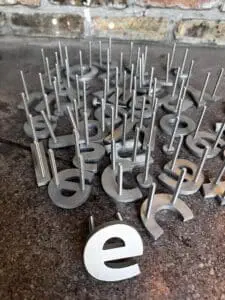
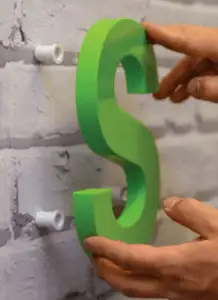
Attach the screw studs to the sign, then mount it onto the wall.
Stand-Off Installation Techniques
What is Stand-Off Installation?
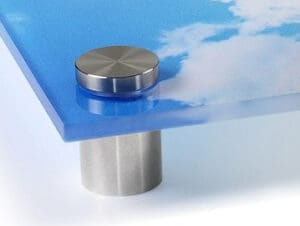
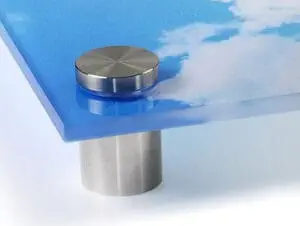
Stand-off installation allows the signage to be mounted a few inches away from the wall, giving it a 3D effect.
Step-by-Step Stand-Off Installation Process
Drill holes at the positions marked by the template.
Conclusion: Making the Right Choice for Your Indoor 3D Signage Using templates ensures precise, hassle-free installation, giving your indoor 3D signage a polished, professional appearance.